The Samsung TV calendar app that turns your TV into a family command center
There's no calendar app built into Samsung TV. Luana adds a shared family calendar, plus kids' routines, chore rewards, and a family photo screensaver, to the Samsung you already own. No $300 device required.
United States only for now — Samsung Apps carries Luana in the US store. Outside the US, Luana runs on Fire TV and LG everywhere, on Roku in the 21 countries with a Roku Streaming Store, and on Google TV in Canada.
Why your Samsung can't already do this
Out of the box, Samsung is built for streaming — there's no family calendar app waiting in the store, and the DIY workarounds (a spare tablet, a kiosk app, fighting the screen-timeout) are fiddly and break easily.
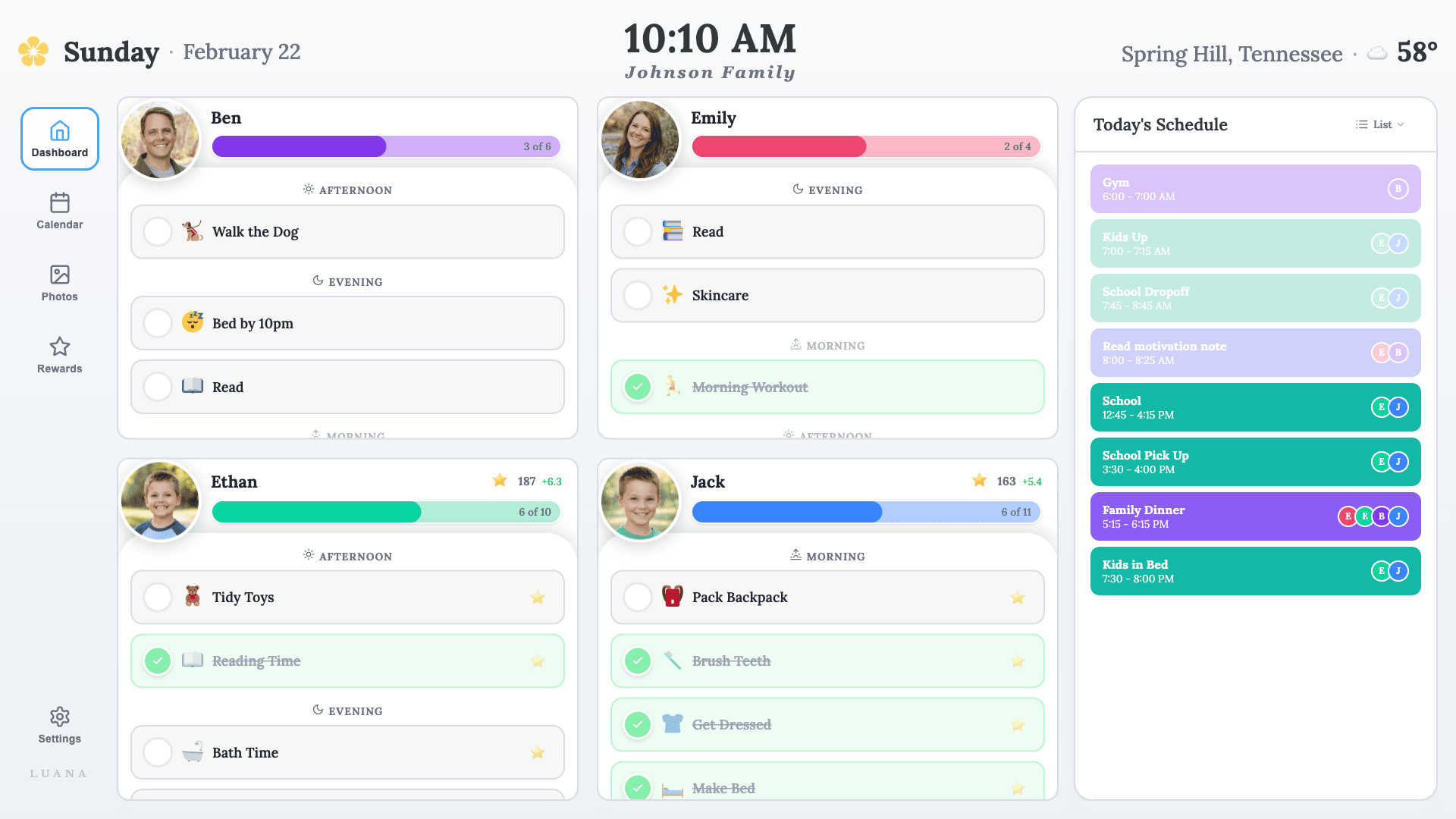
Luana is purpose-built for exactly this: install it once, pair it to your account, and your Samsung becomes an always-on family screen that wakes to your calendar and rewards, and drifts to your photos when the room is quiet.
What Luana puts on your Samsung
A shared family calendar
Syncs (read-only) from Google, Apple, and Outlook. Luana never edits your calendar — it just shows everyone what's happening on the biggest screen in the house.
Routines kids follow themselves
Morning and evening checklists with kid-friendly icons. Kids check tasks off from the remote, so you stop repeating yourself.
Chores & star rewards
A built-in star system for chores and habits. Kids earn stars for what they get done and spend them on treats or privileges you set.
A family photo screensaver
When no one's interacting, your Samsung drifts to a slideshow of your family photos.
Have school-age kids? Add your school district's calendar free, so its breaks, holidays, and early-release days show up on your Samsung too.
How to set it up on Samsung
United States only for now — Samsung Apps carries Luana in the US store. Outside the US, Luana runs on Fire TV and LG everywhere, on Roku in the 21 countries with a Roku Streaming Store, and on Google TV in Canada. Minimum Samsung requirement: Tizen 6.5 or newer (2022 Samsung TVs and later). Step-by-step for Samsung → Check full compatibility →
Same shared family view, none of the hardware.
A wall calendar like Skylight ($300–$600) or Hearth ($699) means buying a screen and paying a subscription on top. Luana runs on the Samsung that's already in your living room, for $7.99/mo.
Start your 14-day free trialSamsung family calendar — FAQ
Is there a calendar app for Samsung TV?
There's no built-in calendar app on Samsung TV. Luana fills the gap: a shared family calendar, kids' routines, chores and rewards, and a photo screensaver, on the Samsung you already own.
Is Luana available on Samsung?
Luana is live on Samsung — install it from the Samsung Apps (search "luana") and pair it to your account. United States only for now — Samsung Apps carries Luana in the US store. Outside the US, Luana runs on Fire TV and LG everywhere, on Roku in the 21 countries with a Roku Streaming Store, and on Google TV in Canada.
What does Luana cost?
$7.99/month after a 14-day free trial (no credit card to start), or $79.99/year. There's no hardware to buy — Luana runs on the Samsung you already have.
Will Luana change my calendar?
No. Luana connects to Google, Apple, and Outlook calendars read-only — it displays your events but never edits or deletes anything.
Do I need a Skylight or Hearth device?
No. Those are dedicated screens that cost $300–$699 plus a subscription. Luana gives you the same shared family view on your existing Samsung.
Put your family's day on the Samsung.
Try it free for 14 days. Preview it in your browser first if you like — no streaming device needed.
Start your free trial