Calendar App for ADHD Families: A Schedule Everyone Can See
If someone in your house has ADHD, a calendar on a phone has an obvious weakness: only the person holding the phone sees it or gets its alerts. This guide covers what a shared, visible schedule can reasonably do, how to set one up, and when a different kind of tool is the better choice.
Luana is a family organizer, not a medical product. Nothing here is medical advice, and a calendar doesn't treat ADHD. For diagnosis and treatment, talk to your doctor or your child's doctor. The CDC has a plain overview of treatment options.
Why families look for a visible schedule
Advice for ADHD households keeps returning to the same practical idea: make the plan easy to see. CHADD, the national ADHD nonprofit, suggests a daily picture or list of before- and after-school tasks and keeping routines consistent. ADDitude recommends keeping routines simple, using pictures for younger kids, and using timers.
That's practical guidance, not proof that any app works, ours included.
What to look for in a family calendar
- It's somewhere people already look. A paper calendar in a hallway or a screen in the main room asks less than an app someone has to open.
- It's readable at a glance. One color per person, with big enough text to read from across the room. Whatever you try, read it from your couch before you commit; on some TVs Luana's text can look small.
- Calendar and tasks sit together. "Dentist at 4" and "pack your bag" are part of the same day.
- It's short. A few steps a child can finish beats a long list nobody follows.
- It stays up to date without extra work. A schedule that syncs from your phone is less likely to go stale than one you have to rewrite.
Where Luana fits
Luana puts a family schedule on the TV you already own, on Roku, Fire TV, LG, Google TV, and Samsung.
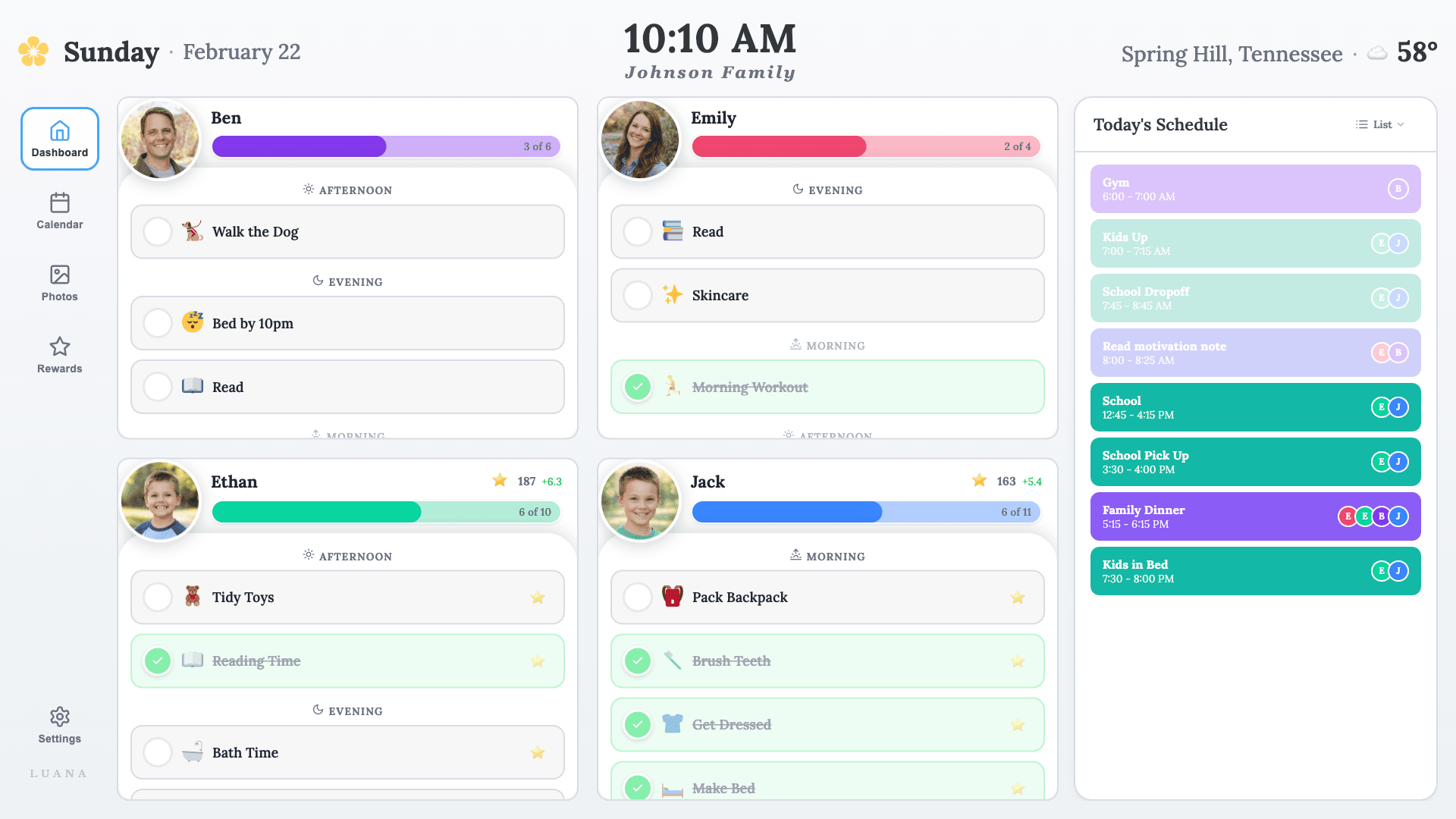
- Your Google, Apple, and Outlook calendars show on the TV, color-coded by person. Luana only reads them and never edits them.
- Each child gets a checklist with an icon for every task, grouped into morning, afternoon, and evening.
- Kids check tasks off with the TV remote, with no phone or login.
- You can attach stars and rewards, or leave tasks as plain "expected" items. Our article on why reward charts stop working covers how to use rewards carefully.
What Luana doesn't do
This matters, because some families need exactly these things:
- No visual timers. Nothing counts down how long is left on a task.
- No clock times on checklists. Tasks are grouped by part of the day, not "7:15 teeth, 7:20 shoes." Timed events can come from your calendar, but kids can't check those off.
- No first-then boards or transition alerts. Luana won't prompt a child that it's time to switch.
If those are what your child needs, a dedicated visual schedule app is likely a better starting point. Search your app store for "visual schedule" and compare a few. Some families could also pair a simple kitchen timer with a list on the TV.
A simple way to start
- Pick the one part of the day that causes the most trouble. Mornings are a common choice.
- Write down three to five steps with your child, in the order they actually happen.
- Put them where your child will see them, whether that's paper or a screen.
- Run it for two weeks before adding anything else, and change whatever isn't working.
If you'd rather start on paper, our free chore chart generator needs no account. If you want to try it on the TV, check that your TV is supported. Luana has a 14-day free trial with no credit card to start, then costs $7.99/mo.