Your homeschool day, on the TV you already own
Every kid’s list, the family calendar, and star rewards on one big screen, with no device to buy if your TV is supported. Kids check off their own work from the remote.
Start your 14-day free trial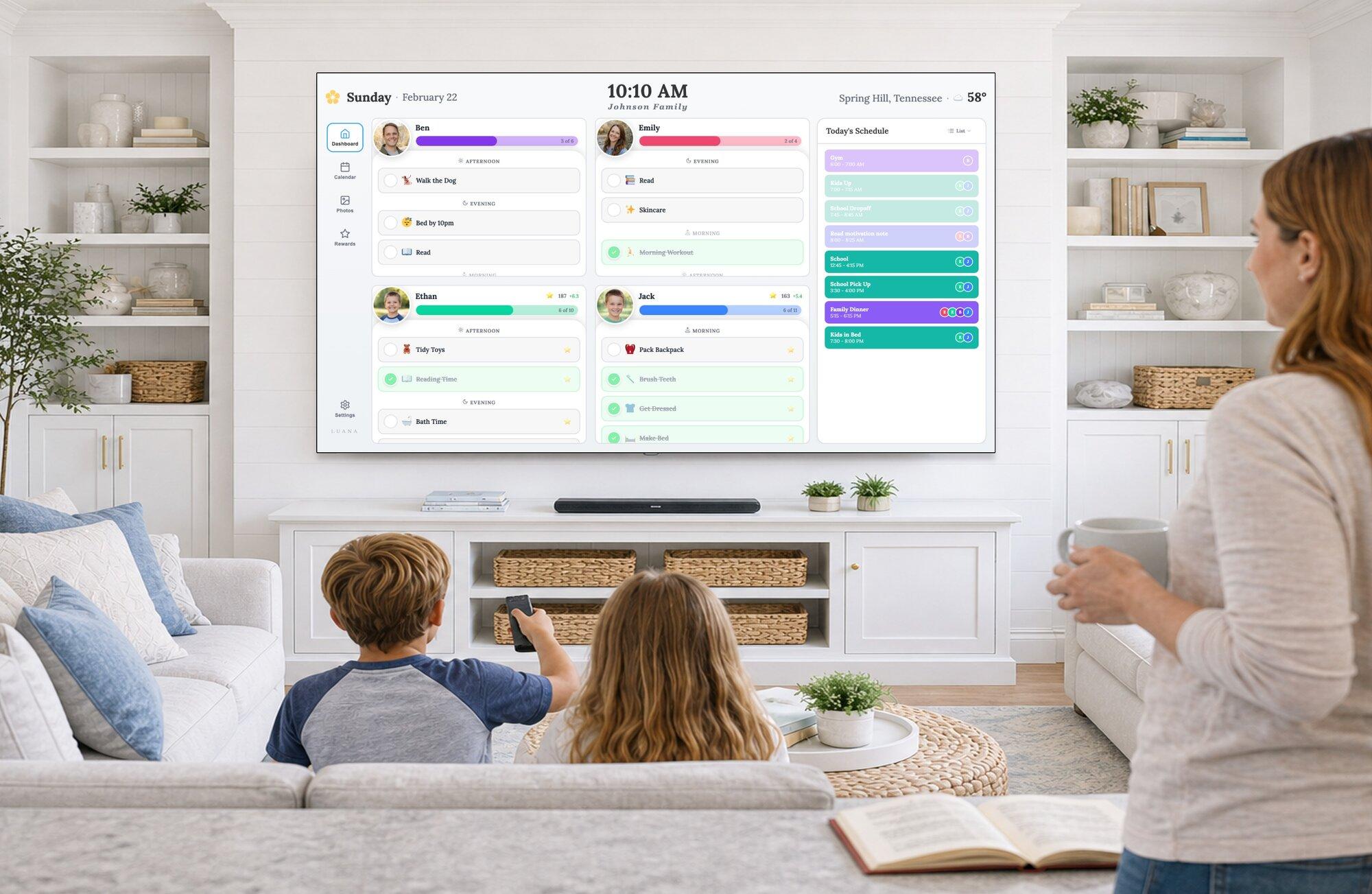
What it does for a homeschool day
A list for every kid
Set each child’s work and chores once, repeating on the days you choose. Group them by morning, afternoon, and evening.
Kids see what’s next
Lists are on the TV, and kids check items off from the remote, so “what do I do now?” has somewhere else to go.
Co-op, classes, and practice
Your Google, Apple, or Outlook calendars show on the TV, read-only, color-coded by family member.
Stars they can save up
Kids earn stars for what they finish and spend them on the rewards you set, from extra free time to a field trip pick.
No clock-time blocks
If your day runs on “math 9:15 to 9:30, then reading,” Luana’s routines won’t show that. They’re lists grouped by part of the day. You can put timed blocks on a synced calendar so they appear on the TV, but kids can’t check those off.
It’s also not a curriculum tool: no lesson plans, grades, or transcripts. If your day is a checklist, it may fit, and the 14-day trial will tell you quickly. Loop schedules, where subjects rotate regardless of the weekday, aren’t built in: routines repeat on the days you set.
What Luana families say
“I don't have to keep reminding my kids what they are supposed to be doing!”
“Before Luana, staying organized was a second job. Now, it’s just part of our day.”
Luana is built by Jeff Chapman, whose wife, Marie, homeschools their four boys.
Homeschool questions, answered
Is Luana a homeschool planner?
Not in the curriculum sense. Luana doesn’t handle lesson plans, grades, or transcripts. It shows the day: what each kid has to do, what’s on the family calendar, and who has earned what. You’d use it alongside whatever curriculum or planner you already have.
Can I schedule subjects at specific times, like math at 9:15?
Not as routines yet. Routines are checklists grouped by morning, afternoon, and evening, with no clock times. If you want times on screen, add the blocks to a calendar you already use: Luana syncs Google, Apple, and Outlook calendars and shows those times on the TV, though kids can’t check off calendar events.
Does it work with several kids at once?
Yes. Each child gets their own list, color, and star balance, and one subscription covers the whole family and every TV in the house.
Do my kids need a phone or a login?
No. Kids check off their lists with the TV remote. If you turn on a child lock, you enter a remote code to unlock.
What does it cost?
$7.99/mo or $79.99/yr after a 14-day free trial, with no credit card to start. There’s no device to buy if your TV is supported. Luana runs on Roku, Fire TV, LG, Google TV, and Samsung.
Also useful: free chore chart generator · Skylight alternatives · check your TV